
Introduction
After making an Akeeba backup then for full safety of www.jdownloads.net the backup needs to be downloaded to the PC.
For reference jdownloads.net has all the documentation, with over 50 articles, and all the jDownloads translations.
For reference jdownloads.net has all the documentation, with over 50 articles, and all the jDownloads translations.
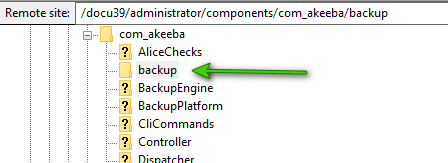
The image opposite shows the default location where Akeeba saves the backups on the web.
Each Backup is typically more than 200K bytes in size
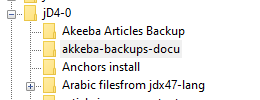
This image shows the Folder on the PC where the backups will be stored.
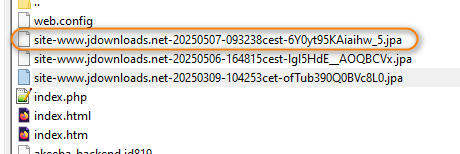
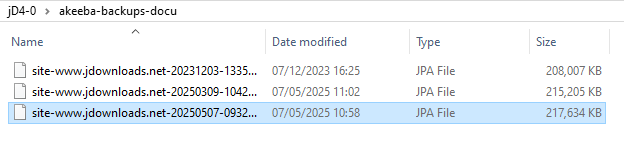
In this example the latest backup was taken on 7th May 2025.
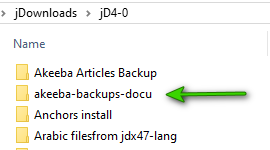
The image opposite shows the target loaction on the PC for the downloaded file
Usually one would do a direct download. However because of the file size it was decided to add the file to the queue so its download progress could be monitored
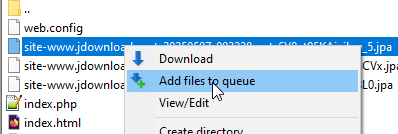
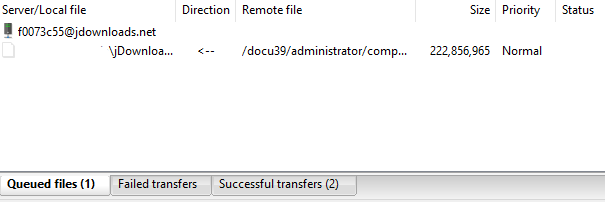
Shows file added to the queue.
Note the size of the file at about 223Mbyte
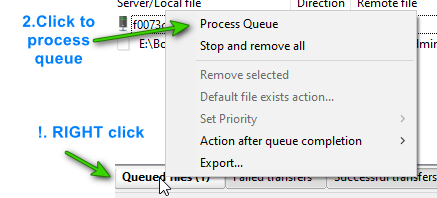
Now process the queue.
Given the size of the Download, the actual dowloading time was quite short.
The backup is now stored in its correct location on the PC
July 2026 - AA
! end of article